NatWest broker portal

NatWest logo
NatWest - Broker Portal - Dashboard

Quick overview.

The ‘broker portal’ project aimed to reimagine the end-to-end SME lending experience across brokers, customers, and internal colleagues by delivering a streamlined digital ecosystem that balances automated speed with targeted human support.

This initiative will validate a component-driven, highly engaging broker MVP dashboard, established seamless document upload and management capabilities, and defined a clear migration strategy to transition existing users onto the unified authenticated platform.

Details.

Company
NatWest

Role
UI Visual Design

Timeline
2 months

Team
1 x Product Designer
1 x Researcher
1 x Service Designer
1 x Content designer
1 x UI Designer

NatWest - Broker Portal - Dashboard

The challenge.

Create a digital commercial lending portal that enables commercial brokers to create, manage, and progress NatWest lending cases – replacing fragmented manual processes with a unified, auditable platform.

Primary users are Commercial Lending Brokers, who create quotes, manage cases, upload documents, and track status, and Brokerage Admins, who manage users, assign roles, and control permissions across their firm.

Designing a digital commercial lending portal for brokers, from research insights through wireframes to high-fidelity visuals, accessibility standards, and developer handover.

Discovery.

Identified insights and customer pain points

1

Fragmented workflows across tools

The core problem is fragmentation. Brokers juggle emails, spreadsheets, and disconnected systems, losing context and duplicating effort at every handoff.

2

No visibility of case status or blockers

Brokers cannot see which cases need attention, what stage underwriting is at, or what actions are required, leaving brokers in the dark to bank processes.

3

Document management is manual and error-prone

Uploading, versioning, and tracking compliance documents is entirely manual.

NatWest - Broker Case page
NatWest logo

Define.

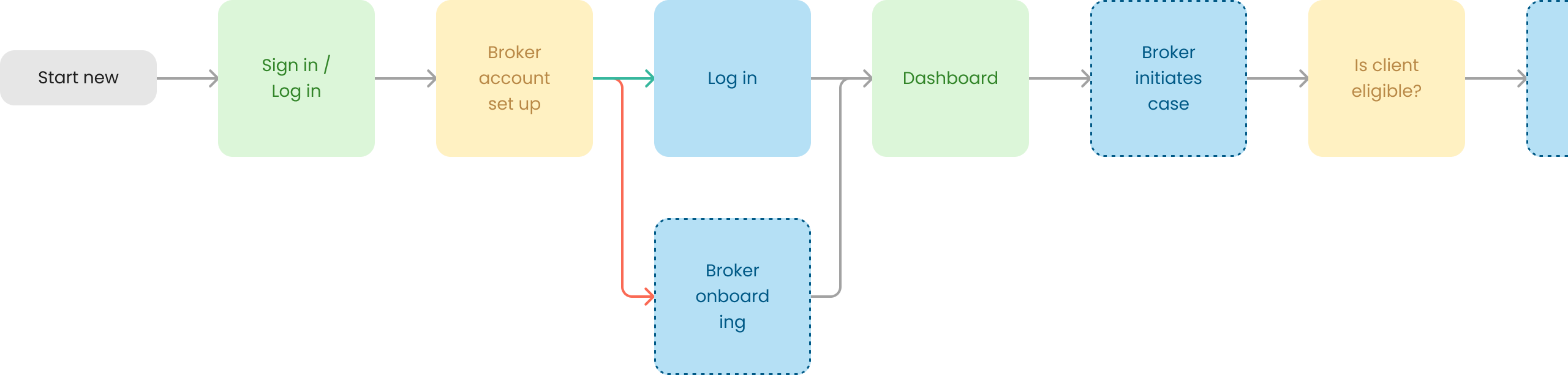
This phase focussed on evaluating whether an action is a primary reason users visit the product – or merely secondary – directly driving Prioritisation and MVP Planning. Distinguishing core broker workflows (like submitting deals or fetching quotes) from secondary tasks ensures high-value journeys receive premier visual hierarchy and development focus, while establishing a lean MVP centered purely on critical user goals.

Equally, this primary-versus-secondary distinction grounds Usability Testing and Stakeholder Alignment. Test scenarios focused on validating whether brokers can execute their main tasks effortlessly, while objective user-centric data gives the team a clear framework to align stakeholders, shield scope, and resist cluttering the experience with secondary feature requests.

Flow chart for a new case
Flow chart for an existing case

User stories.

For the MVP, user stories were split into a five-epic structure to ensure core broker workflows were manageable. These epics were:

1

Case creation

Allow users to start and resume quotes or applications quickly and reliably.

2

Status visibility

Make any ‘blockers’, actions and  status for each application crystal clear.

3

Communication & support

Make it effortless to gain help or support

4

Documentation

Simple, secure and auditable document handling

5

User management

Enable secure broker access control

Develop.

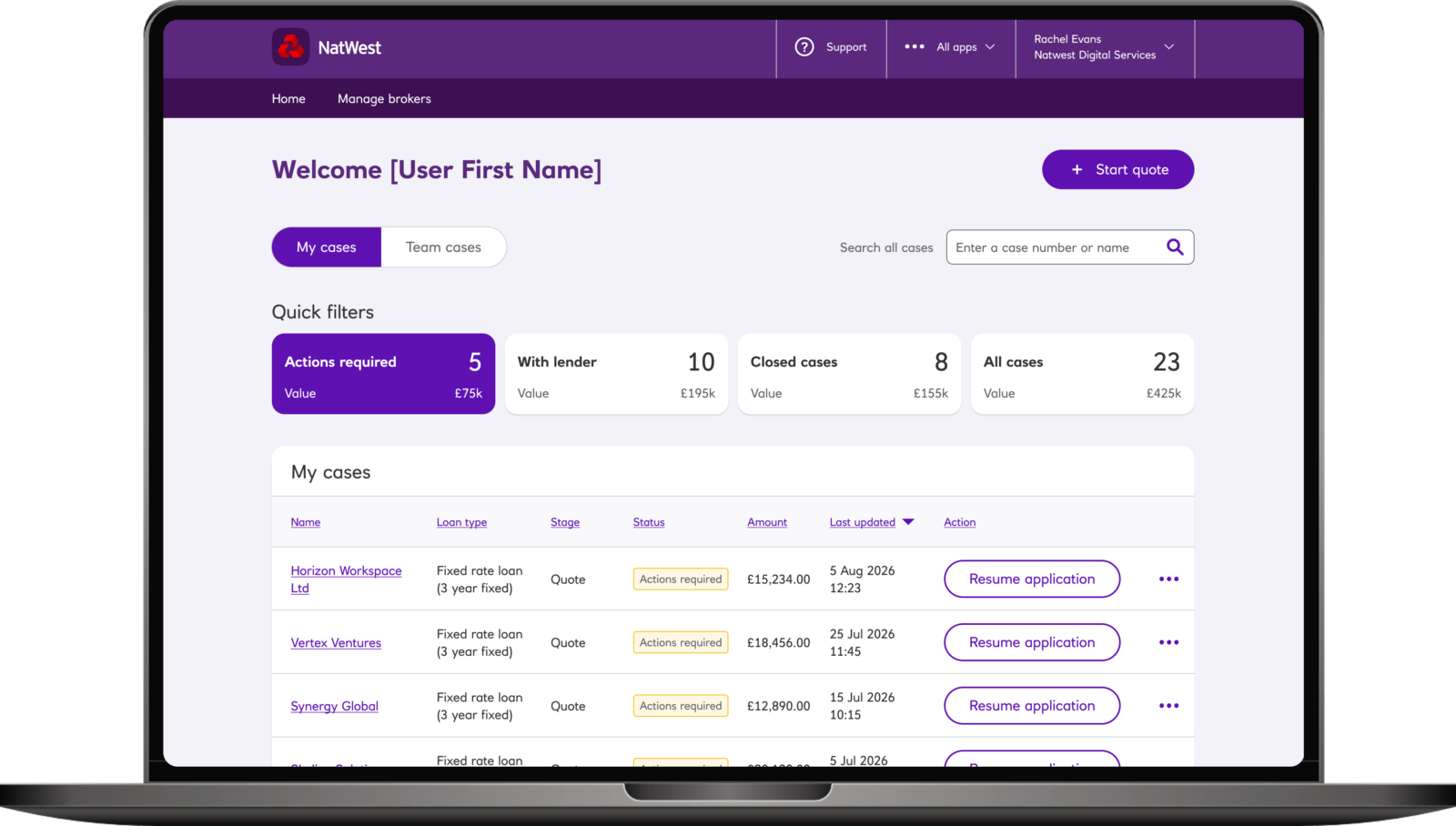
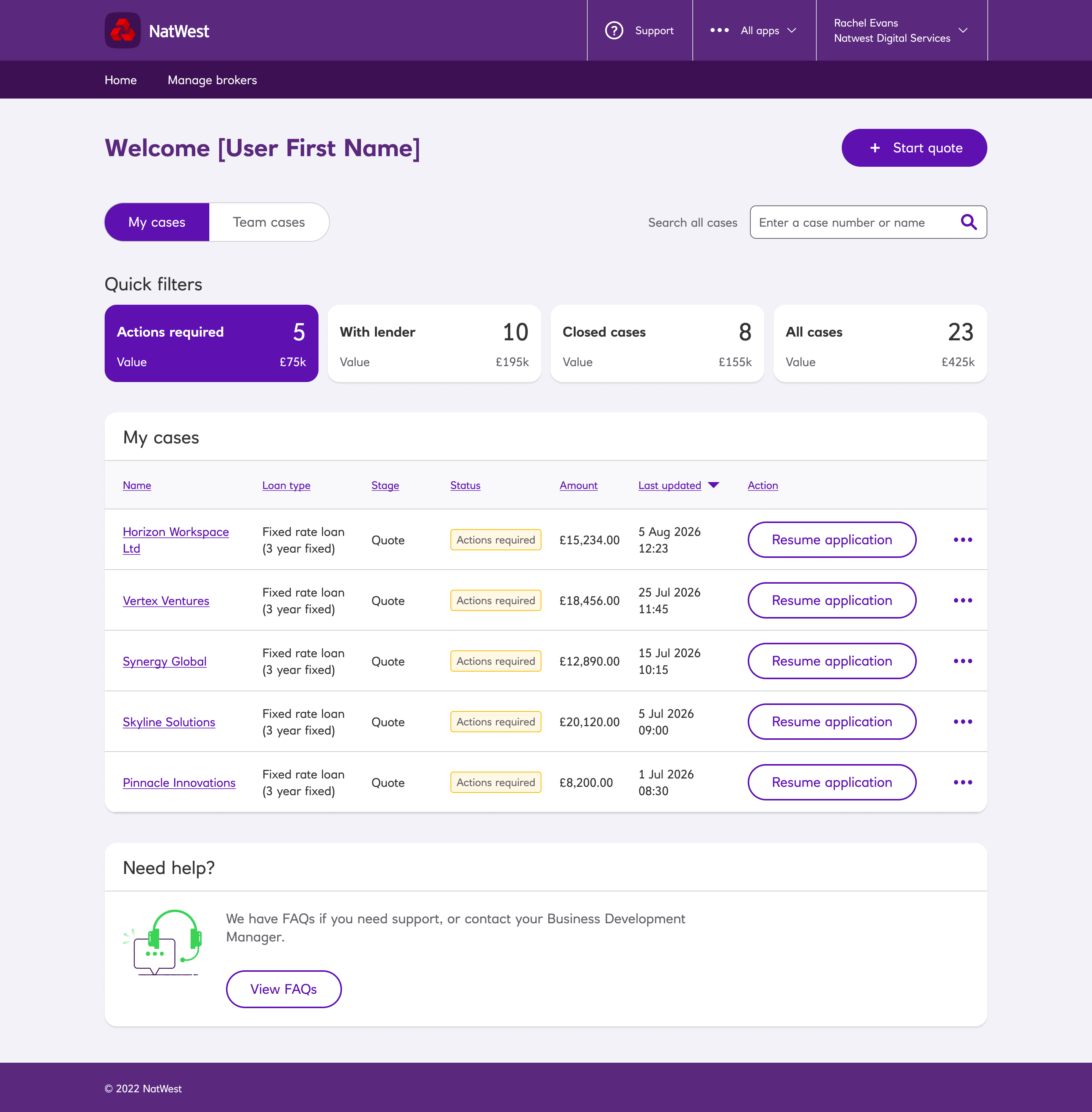
During the develop phase, the dasbboard and case list were created to streamline broker workflows. Key components included creating a cases table with required actions, configuring sorting, filtering, and decluttering the interface.

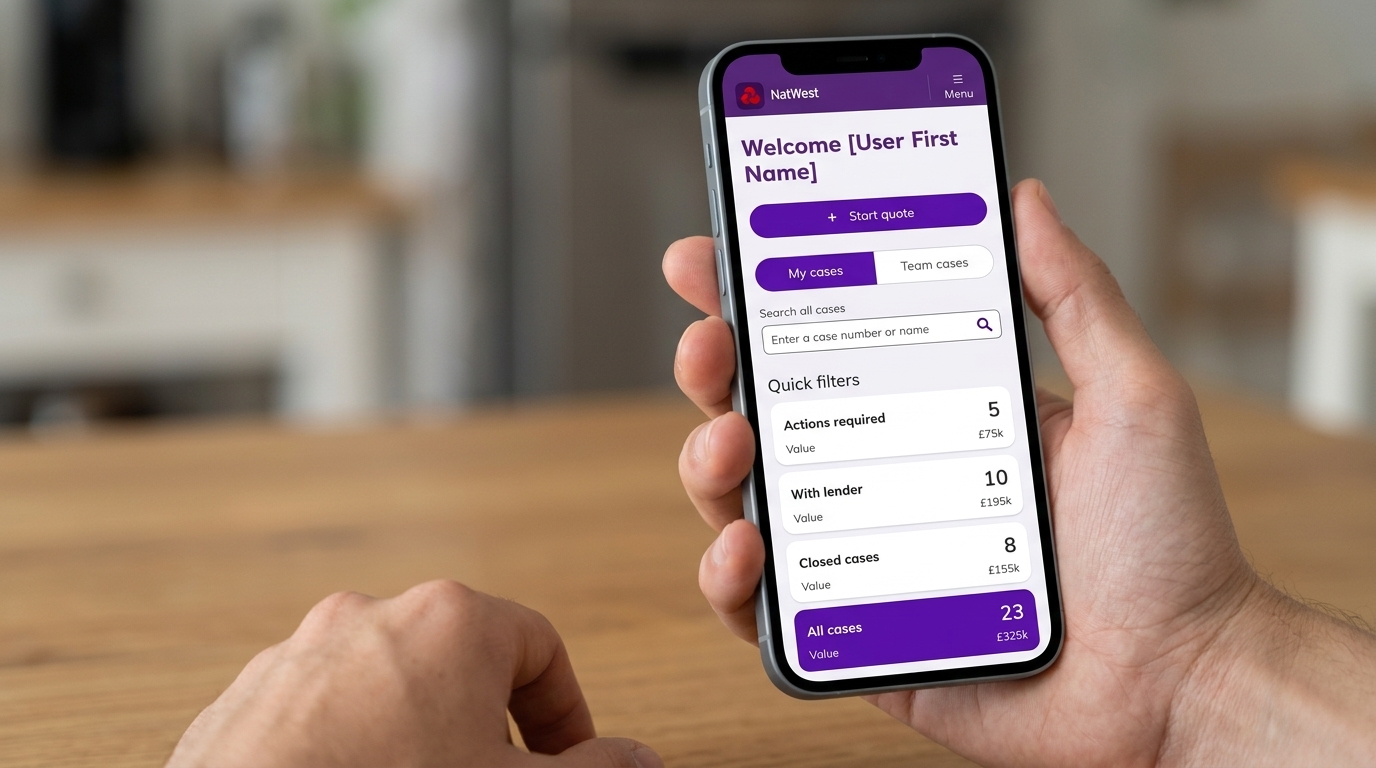
Additionally, interactive statistic cards were designed to allow filterable navigation shortcuts that reshape the list in-place. A prominent display of outstanding actions, and clear copy distinguishing “my cases” from “team cases” gave the user clear structure and highlighted cases that needed attention.

Alongside the dashboard, document management and user support features were refined to enhance overall usability.


NatWest - Broker Portal - Dashboard

Dual dashboard

Based on card sort research showing brokers prioritize personal actions over team oversight, the dashboard was split into personal and team views.

Quick filters

We aligned with the NatWest component library by reusing existing patterns whilst creating new components like action cards to strengthen design system consistency.

No visibility of case status

A ‘status’ column was added to quickly highlight cases requiring immediate broker attention.

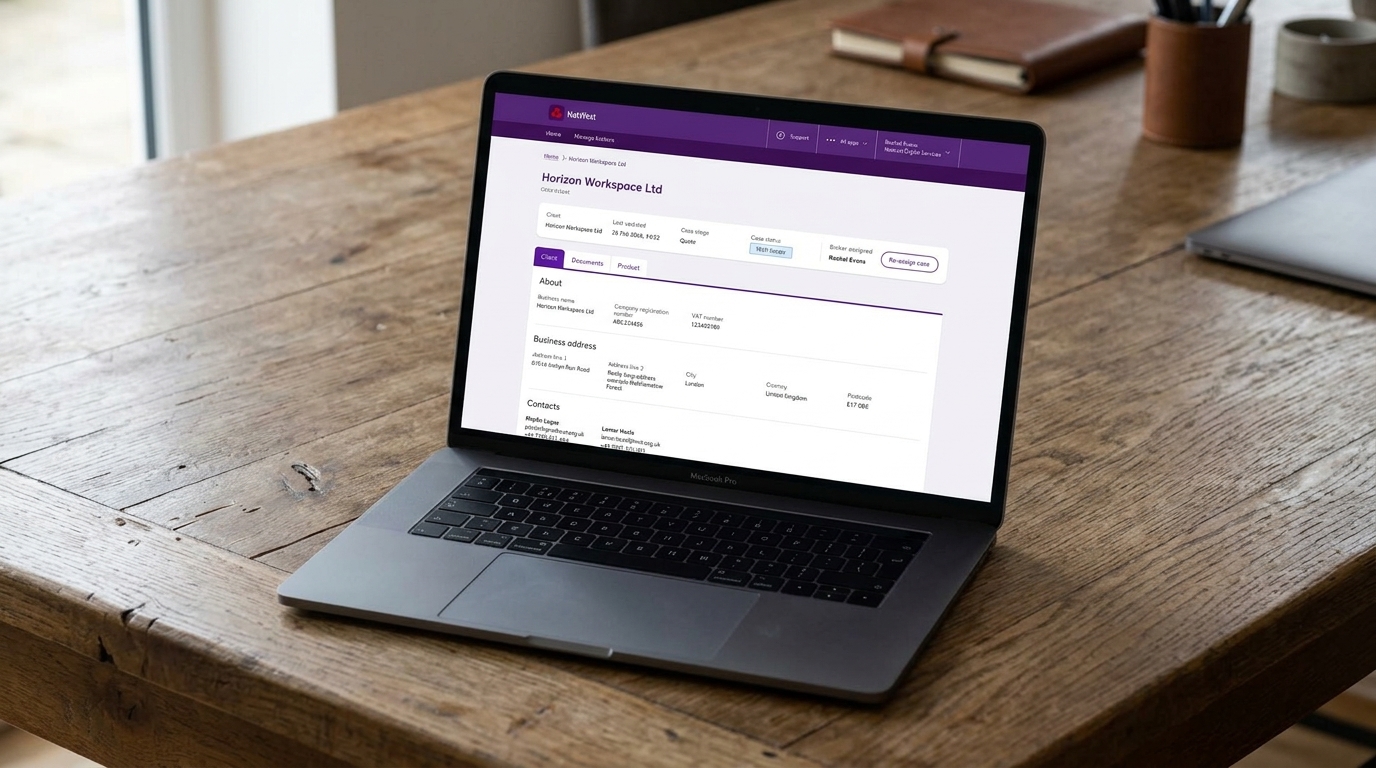
Case-centric architecture

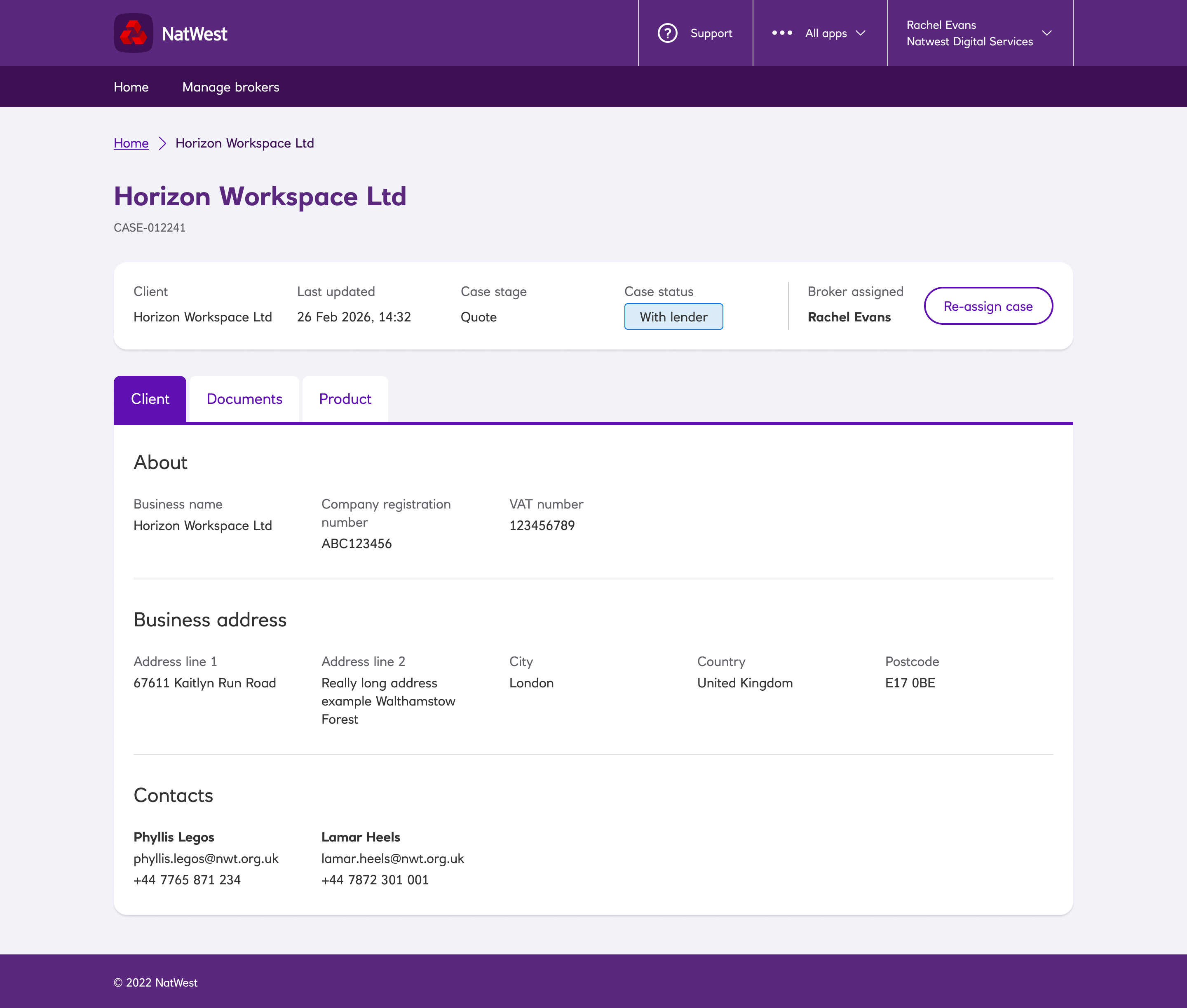
Portal structured around “cases” as the primary object. Each case includes client details, documents and product details.

NatWest Broker - Case page UI

Retrospective.

Recommendations for future improvements

1

Bulk document upload

Bulk document upload is the preferred solution based on customer feedback and general design guidance. Although not included in these designs, it is being planned into a future release based on this recommendation.

2

Notification system

User-based notification system is necessary for an improved customer experience. Users have expressed a want for a unified and prompt way of being notified of all bank interactions.

3

Real-time activity feed

Descoped from this MVPm this requirements was ranked 4th priority by brokers. However, it would require a real-time infrastructure solution and notification system.